Features / Route Optimization

Smarter Routes. Less Fuel. More Lawns.

Stop wasting time and gas driving back and forth across town. EZ Lawn Biller's lawn scheduling software optimizes your routes so every technician takes the shortest path through their day.

Plan Your Week in Minutes

Build weekly route plans with a clear workflow: create a draft, review each route stop on the map, then activate it. Your technicians see their updated schedule instantly.

  • Draft → Review → Activate workflow ensures nothing goes live by accident
  • Assign technicians per day — Monday through Sunday
  • Drag and drop services between technicians and days
  • Capacity constraints — don't overload any single technician
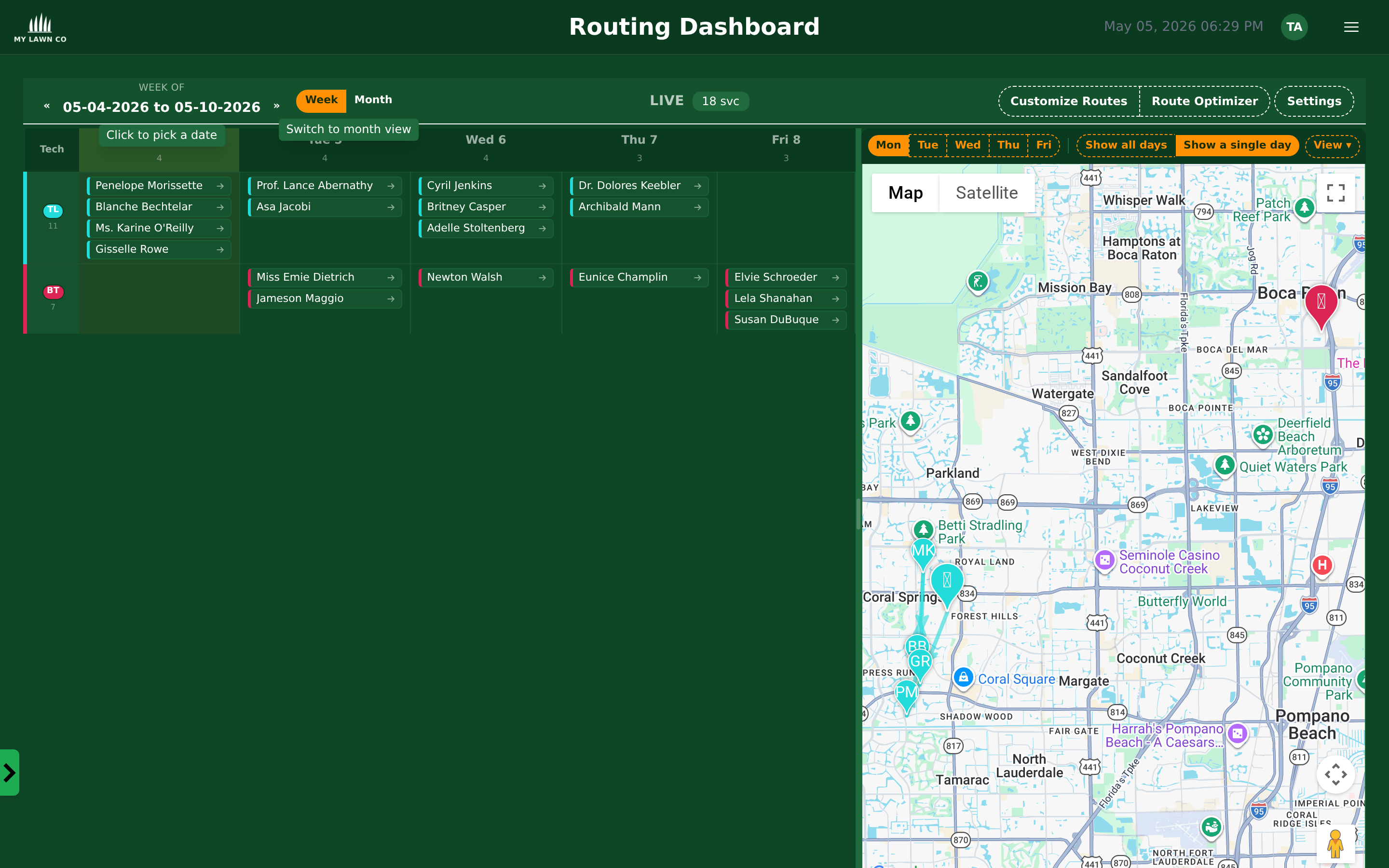
EZ Lawn Biller routing dashboard with weekly calendar and interactive map
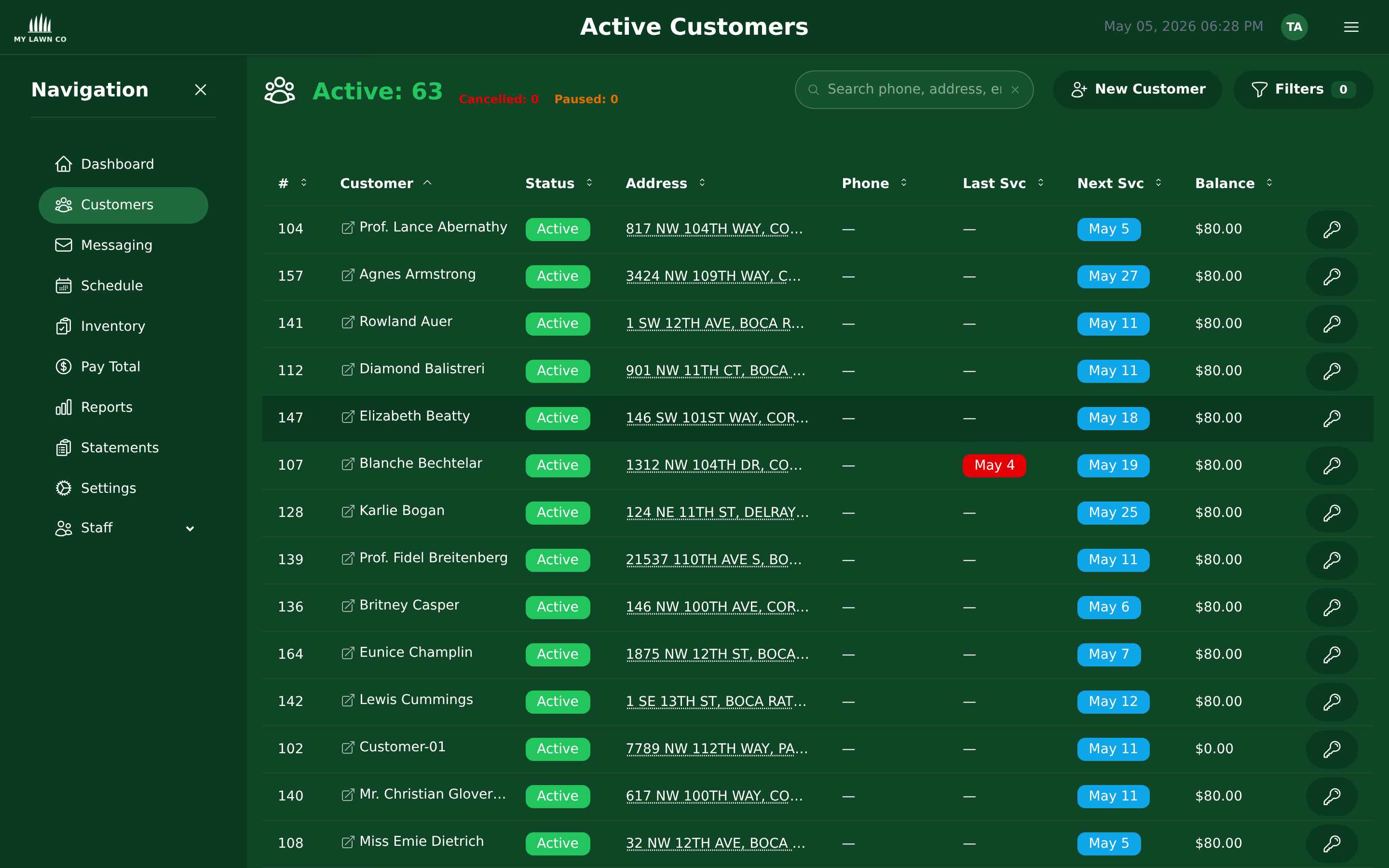
EZ Lawn Biller active customers list with status, service dates, and balances

See Every Route on the Map

Visualize all your service stops on an interactive map. Spot inefficiencies instantly — if two techs are crisscrossing the same neighborhood, you'll see it and fix it.

  • Interactive map — zoom, pan, click on stops for details
  • Color-coded by technician — see who covers what area
  • Day-by-day view — switch between days to see the full week
  • Route lines — see the actual path each tech will drive
New in 2026

Plan a Whole Month at a Glance

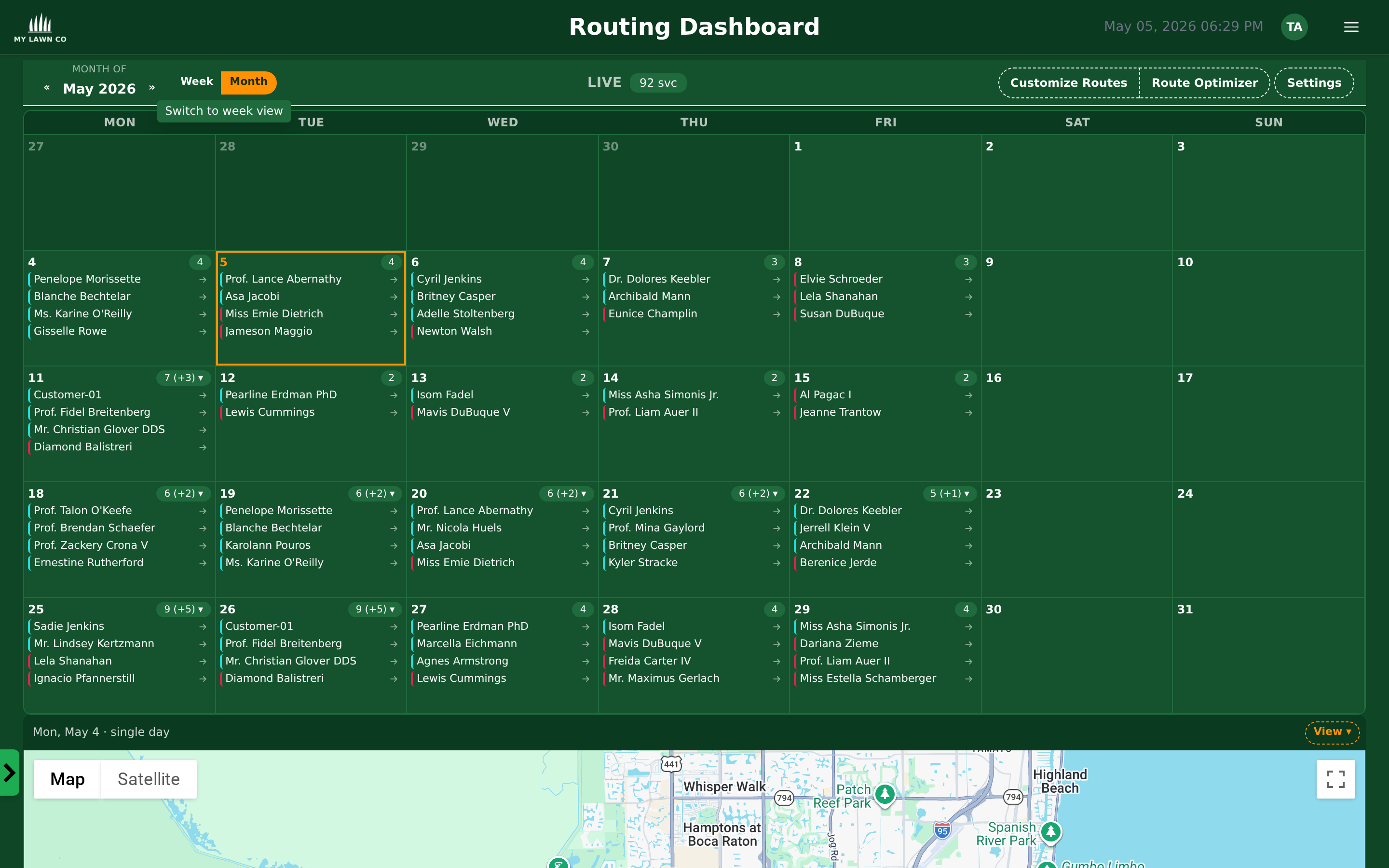
Toggle between the weekly grid and a full-month calendar. The month view rolls up assignments per day so you can spot empty Fridays, holiday gaps, and over-booked Mondays before customers ever notice.

  • Week / Month toggle — same calendar, same data, two zoom levels
  • Per-day chip count — see workload density without opening each day
  • Click any day for the full per-tech assignment drawer
EZ Lawn Biller monthly routing calendar with per-day technician assignments
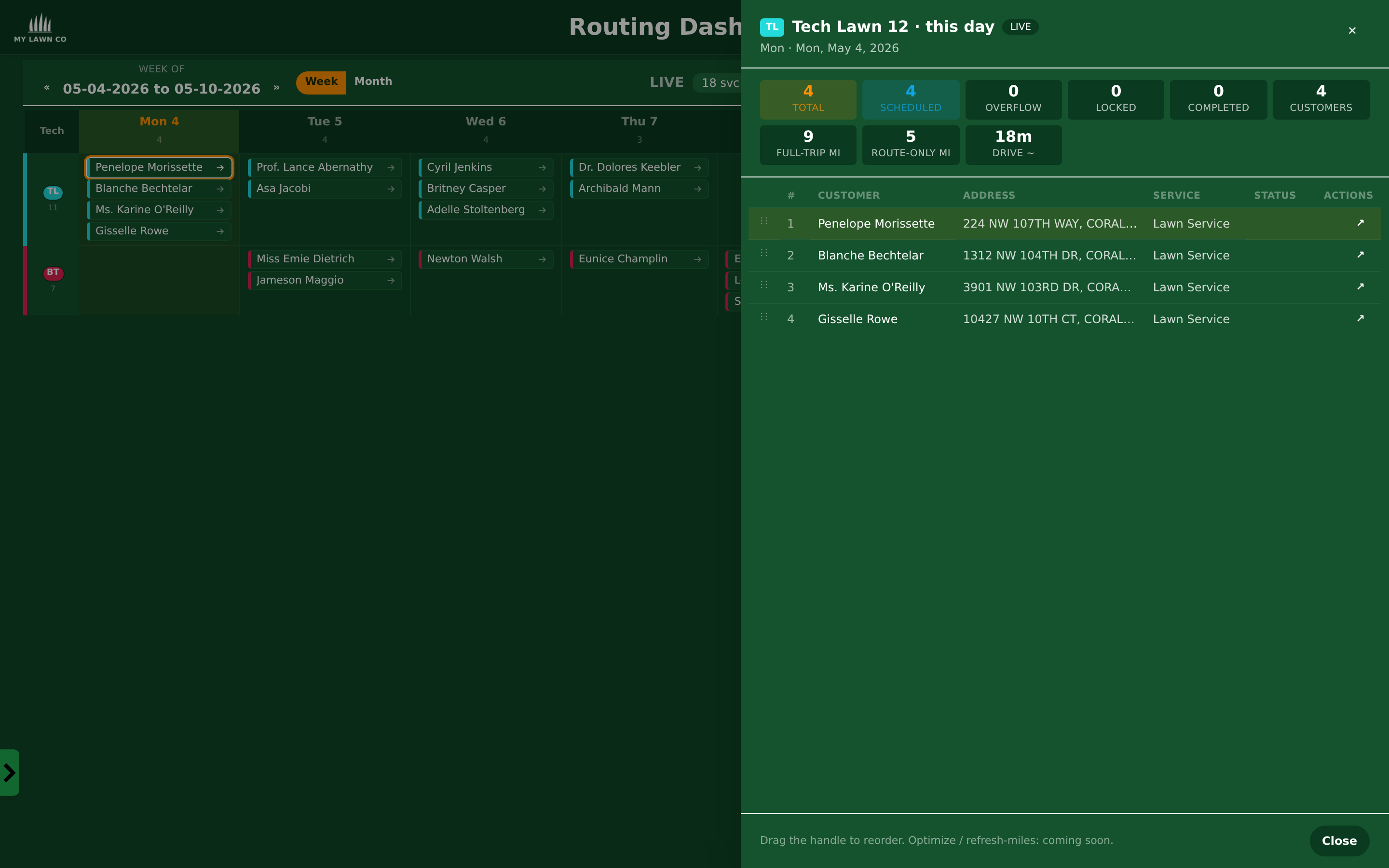
Per-day assignment drawer showing technician totals, drive time, and customer list

Drill Into Any Day in One Click

Click a day in the calendar and a side drawer slides out with the full picture: how many services, drive time, customers, completion status, and the route order — all without leaving the schedule.

  • Live counters — total services, completed, locked, route-only miles
  • Per-customer rows with address, service type, and status
  • Drag handle to reorder stops directly from the drawer

Smart Technician Assignment

Assign the right tech to the right job, automatically.

Workload Balancing

Distribute work evenly across your team. No one tech gets overloaded while another sits idle.

🏆

Skill-Based Assignment

Only assign qualified technicians to jobs that require specific certifications or experience.

🌎

Geographic Zones

Assign techs to geographic areas to minimize drive time between stops.

Before & After Route Optimization

Unoptimized Routes

  • ✗ Technicians zigzagging across town
  • ✗ 30+ miles of unnecessary driving per day
  • ✗ Fuel costs eating into profits
  • ✗ Fewer lawns serviced per day
  • ✗ Schedule changes mean phone calls to every tech

Optimized with EZ Lawn Biller

  • ✓ Efficient, logical stop order
  • ✓ 15-25% less driving per day
  • ✓ Real fuel savings every month
  • ✓ More lawns serviced, same hours
  • ✓ Changes push to the app instantly

Mid-Day Changes? No Problem.

Customer cancels? Emergency repair job needed? Add a one-time service visit, remove, or reassign stops from the office and the technician's app updates in real time. No phone calls, no confusion.

Route Optimization FAQ

Mobile App Visit Reports

Stop Wasting Fuel. Start Optimizing.

Route optimization is included with every EZ Lawn Biller account.